How DarkGrid Hunt works
Three steps, then you're hunting as a crew. Everything here is in the app itself; this page is just the short version.
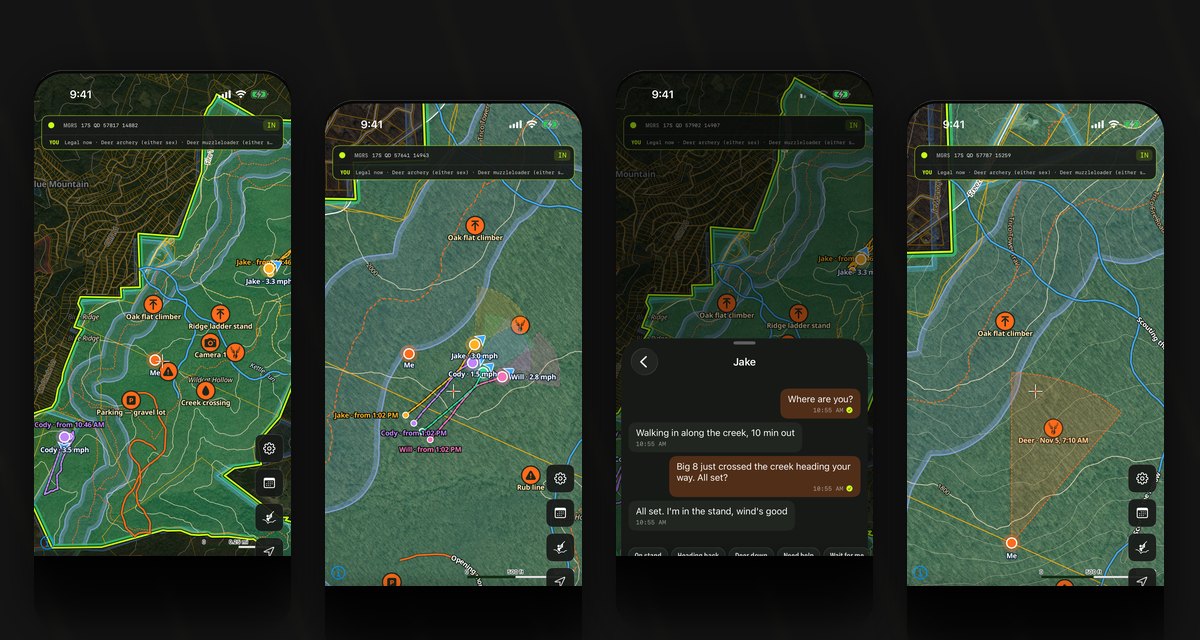
- 1
Draw your hunt area
Tap Areas, then the lots you have permission to hunt. Property lines, terrain, seasons and today's wind come with it, and the area downloads for use with no signal.
- 2
Make a party
Settings → Friends & parties. Add friends by their code, then put them in a party. A party is who sees you on the map; friends alone share nothing.
- 3
Start your hunt to share yourself
Tap the hunter button and pick your party. That shares your position and records your track. You see anyone in your parties who's hunting whether or not you've started; they see you once you have. A paired radio supplies your position where there's no signal.
Good to know
- Nobody in your parties is sharing right now. Anyone who taps the hunter button and picks a party appears here and on the map, whether or not you've started your own hunt.
- Starts sharing you with this party and records your track. You already see anyone in it who's hunting.
- This shares your position and records your track. Seeing your party doesn't need it; they show on the map as soon as they start theirs.
- A paired radio sends your position over the mesh where there's no signal. Without one, the app uses your phone while you have service.
- They can see your party on the map, but your party can't see you until you tap the hunter button and start your hunt.
- Not hunting right now. They show up on the map once they tap the hunter button and pick this party.
- Only you will see this pin. To share pins with your party, share the hunt area it's in (My Places, then the area's menu, Share with my party).
- Tip: Layers, then Scent cone, shows where your scent drifts on today's wind, so you know which way to approach your stand.
Questions? The Support page has account help, and every screen in the app explains itself as you go.